
Screenshots
Section titled “Screenshots”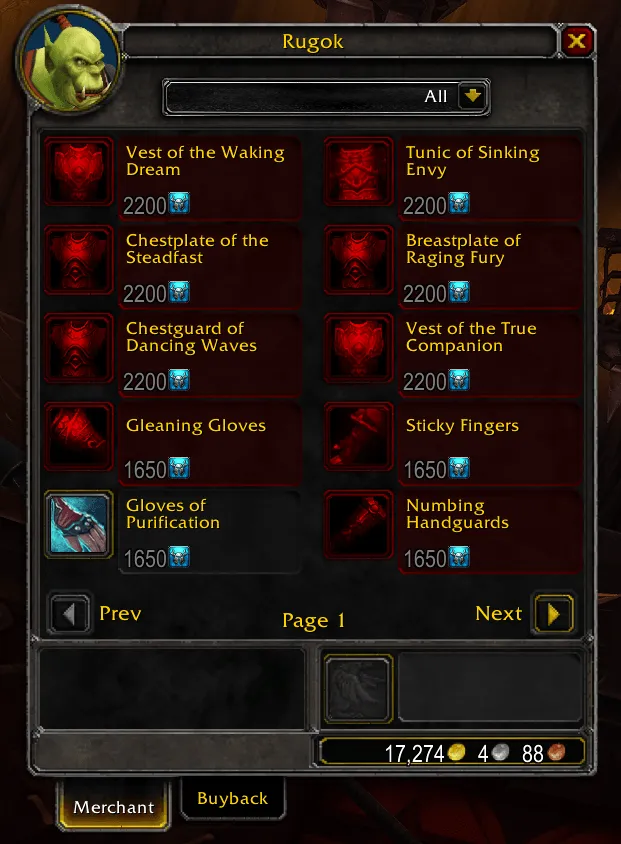
What it does
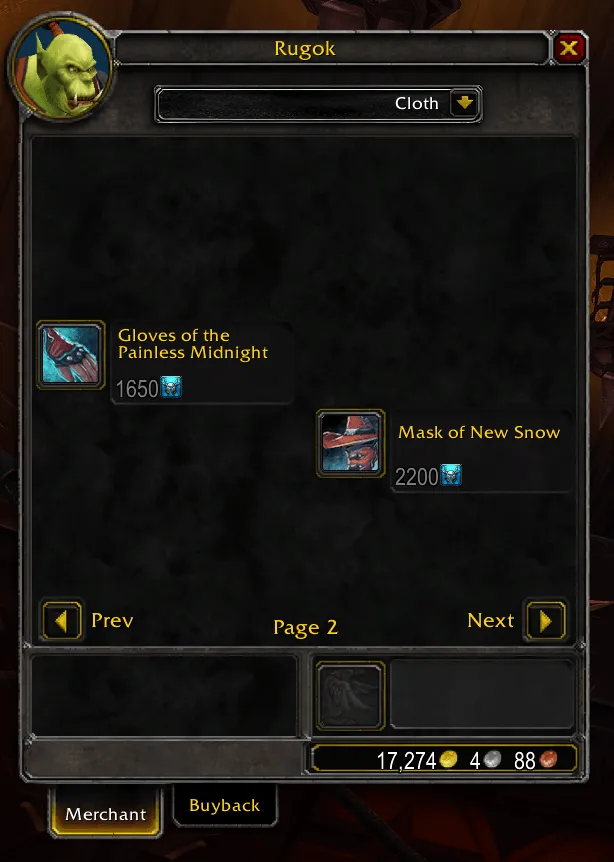
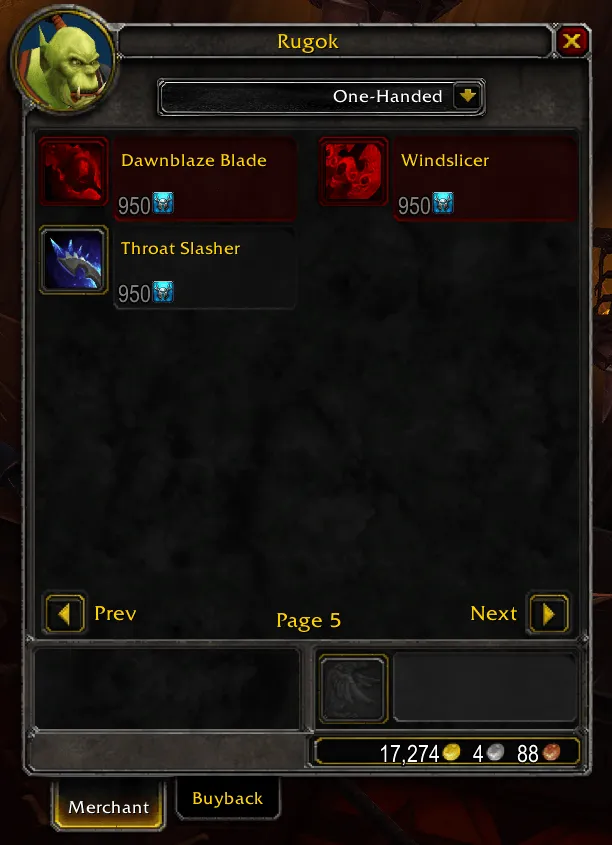
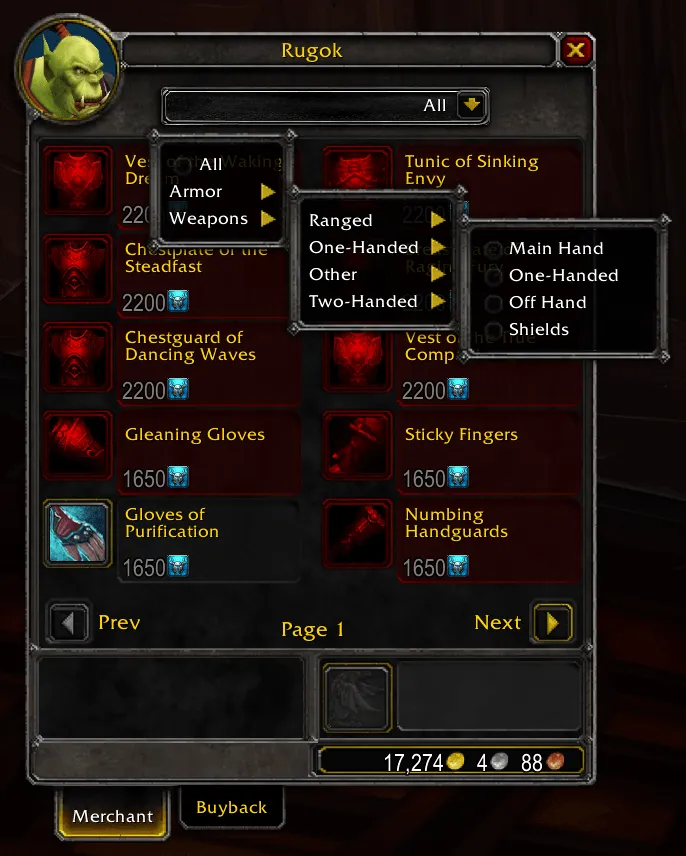
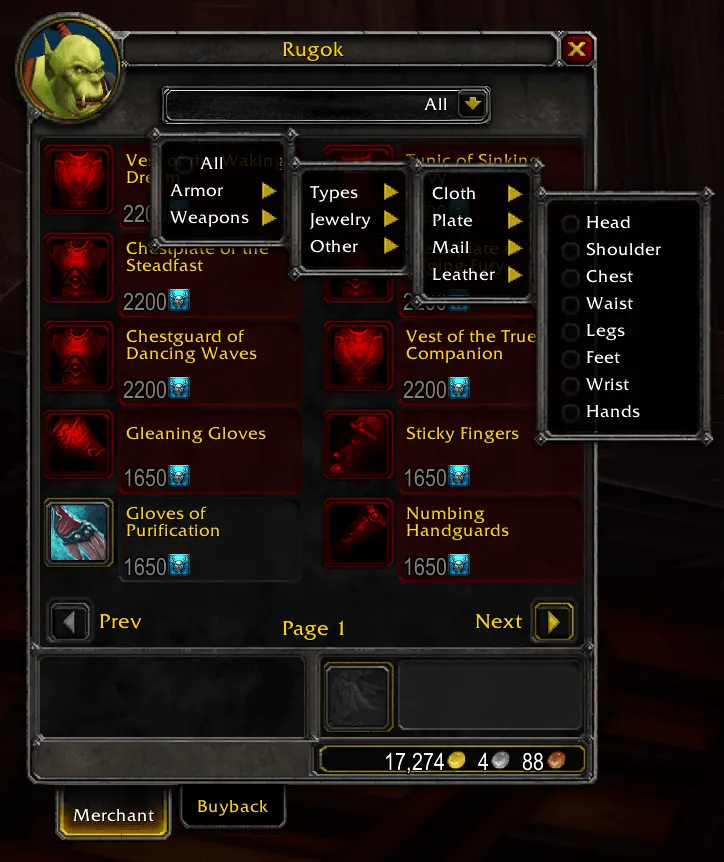
Section titled “What it does”Vendor Item Filter adds a dropdown to the top of the merchant window. Pick a category and only the matching items stay visible, so you can find what you need on vendors with long lists.
Features
Section titled “Features”- Armor → Types: Cloth, Leather, Mail or Plate, either the whole type or a single slot (Head, Shoulder, Chest, Waist, Legs, Feet, Wrist, Hands).
- Armor → Jewelry: Neck, Rings, Trinkets.
- Armor → Other: Cloaks, Relics (heirloom-quality items), Shields, Off Hand, Shirts, Tabards.
- Weapons: One-Handed (with Main Hand, Off Hand, Fist Weapons and Shields), Two-Handed, Ranged, and Other (Fishing Poles).
- All shows everything again.
- Remembers the last filter you used between sessions.
- Moves the dropdown to the bottom-left of the window when ElvUI is loaded.
- Translated to the main client languages.
- Open any vendor and choose a filter from the dropdown at the top of the window.
- There are no slash commands or options panel.
Installation
Section titled “Installation”- Download the zip from the latest release or from CurseForge.
- Extract the
VendorItemFilterfolder into:World of Warcraft/_classic_/Interface/AddOns/(Mists of Pandaria Classic)World of Warcraft/_forever_/Interface/AddOns/(WoW Forever)
- Restart WoW and enable the addon.
- The filter works page by page: hidden items leave their slot empty instead of moving the rest up.
- Items whose data the game has not loaded yet are shown until it arrives.